Microsoft Bing Search
Tools- Category Tools
- Size 158.19 MB
- Requirements Android 5 and up
- Downloads 320,000,000+
- Package Name com.microsoft.bing
- Content Rating 3
About Microsoft Bing Search Feature
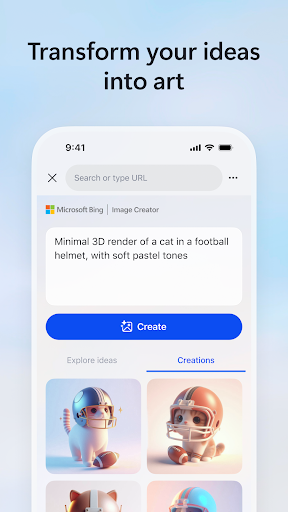
Microsoft Bing Search is a comprehensive search engine developed by Microsoft, designed to deliver precise and relevant web search results. It integrates advanced AI technologies, including the powerful GPT-4 through Bing Chat, to provide intelligent answers, image and video search, news aggregation, and maps. Accessible via web browsers and a dedicated mobile app, Bing serves as a gateway to a vast repository of information, enhancing how users discover and interact with digital content. It stands as a robust alternative in the search engine market, emphasizing reliability, innovation, and user-centric features for everyday queries and complex research alike.
Chapter 1: Function
Microsoft Bing Search performs core functions centered on retrieving and presenting information from the web. Its primary capability is processing text-based search queries to return relevant web pages, articles, and facts. The engine supports multimedia searches, allowing users to find images and videos with filtering options for size, color, and license. Integrated map services provide directions, local business listings, and traffic updates. A key function is Bing Chat, which leverages AI to offer conversational responses, summarize content, and assist with creative tasks like writing or coding directly within the search interface. Additional features include news aggregation from trusted sources, currency conversion, translation services, and real-time sports scores. These functions are optimized for speed and accuracy, ensuring users efficiently access comprehensive information across diverse formats.
Chapter 2: Value
The value proposition of Microsoft Bing Search lies in its intelligent integration and unique advantages that streamline information discovery. A significant benefit is its deep integration of AI, particularly through Bing Chat powered by GPT-4, which transforms traditional searching into an interactive dialogue. Users can obtain summarized answers, generate ideas, or receive step-by-step guidance without manually sifting through multiple links, saving time and effort. Bing rewards users with Microsoft Rewards, offering points for searches that can be redeemed for gift cards or donations, adding tangible value to everyday use. Its seamless integration with the Microsoft ecosystem, including Windows and Office 365, enhances productivity by allowing quick searches from the taskbar or within documents. Bing also prioritizes visual and local search excellence, providing high-quality image results and reliable map data. Compared to competitors, Bing emphasizes privacy controls and reduced tracking, giving users greater control over their data. These advantages position Bing as not just a search tool, but a smart assistant that empowers users to learn, create, and accomplish tasks more effectively, making it a valuable and innovative choice in the digital landscape.
Chapter 3: Scenarios
Microsoft Bing Search caters to a wide range of user groups and everyday scenarios. Students and researchers are primary beneficiaries, using Bing to quickly find academic sources, verify facts, and utilize Bing Chat for explaining complex concepts or assisting with homework. Professionals rely on it for market research, competitive analysis, and staying updated with industry news through curated feeds. Travelers frequently use Bing Maps for navigation, exploring local attractions, and checking real-time traffic conditions to plan efficient routes. Everyday users engage with Bing for quick answers to general knowledge questions, recipe searches while cooking, or identifying songs and movies. Shoppers leverage the engine to compare product prices and read reviews before making purchases. Additionally, developers and creatives use the AI-powered features for brainstorming, coding help, or generating written content. In family settings, parents might use Bing's safe search features to ensure age-appropriate results for children. These diverse scenarios highlight Bing's adaptability as an essential tool for information retrieval, learning, and daily decision-making across various contexts.