Canon PRINT Inkjet/SELPHY
Tools- Category Tools
- Size 43.62 MB
- Requirements Android 4.4 and up
- Downloads 350,000,000+
- Package Name jp.co.canon.bsd.ad.pixmaprint
- Content Rating 3
About Canon PRINT Inkjet/SELPHY Features
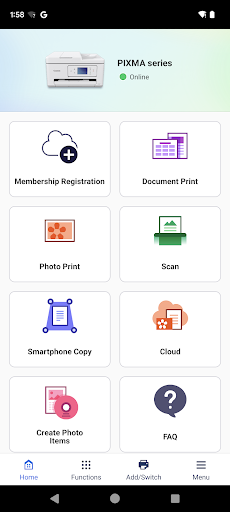
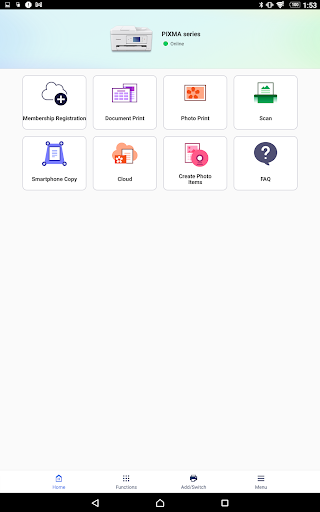
Canon PRINT Inkjet/SELPHY is an official mobile application from Canon designed to provide seamless wireless printing and scanning capabilities. It serves as a versatile bridge between your mobile devices and a wide range of compatible Canon printers, including PIXMA, MAXIFY, and SELPHY photo printers. The app empowers users to print documents, photos, and web pages directly from their smartphones or tablets, bypassing the need for a computer. It also facilitates the scanning of physical documents to digital format using the printer's scanner unit, all controlled from the mobile device. By integrating essential printing and scanning functions into a single, user-friendly interface, the app enhances the convenience and mobility of modern digital workflows, making it an indispensable tool for both home and office environments.
Chapter 1: Function
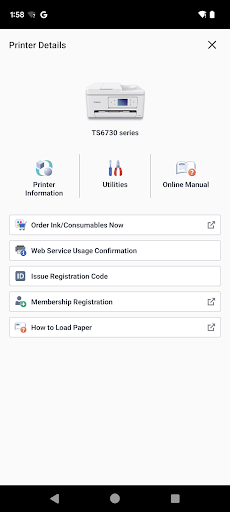
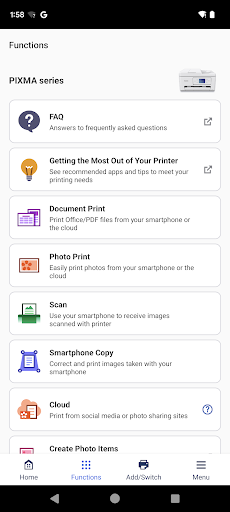
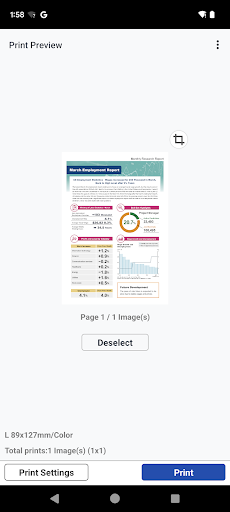
The core function of the Canon PRINT Inkjet/SELPHY app is to enable direct wireless printing and scanning from iOS and Android devices. Users can effortlessly print photos stored in their device's gallery, documents from cloud services like Google Drive or Dropbox, and even web pages by simply entering the URL. The app supports various media types and sizes, allowing for borderless photo printing and standard document output. Furthermore, it unlocks the scanning functionality of compatible all-in-one printers, letting users initiate scans and save the resulting files directly to their mobile device. Additional features include the ability to check ink levels, perform printer maintenance, and access basic printing settings for adjustments. The intuitive design guides users through each step, from selecting a printer on the local network to finalizing the print or scan job, ensuring a straightforward and efficient process for managing everyday printing tasks.
Chapter 2: Value
The primary value of the Canon PRINT Inkjet/SELPHY app lies in its ability to declutter and streamline the printing process, offering significant advantages in convenience, quality, and integration. Its most prominent benefit is the liberation from a desktop computer; users can print or scan directly from their handheld devices, which is invaluable in today's mobile-first world. This enhances productivity, especially for remote workers, students, and families who need quick, on-the-go access to physical copies or digital scans. The app ensures high-quality output by leveraging Canon's renowned printing technologies, producing sharp documents and vibrant, long-lasting photos that meet user expectations. Another key advantage is its seamless integration with the broader Canon ecosystem, including support for SELPHY compact photo printers, making it easy to print cherished memories instantly. The ability to monitor ink levels and perform maintenance through the app helps prevent unexpected interruptions, saving time and money. By consolidating multiple functions into a single, reliable application, it reduces the need for multiple software solutions, providing a cohesive and user-friendly experience that maximizes the utility and longevity of Canon printing hardware.
Chapter 3: Scenarios
The Canon PRINT Inkjet/SELPHY app is ideally suited for a diverse range of users and daily situations. Home users and families frequently utilize the app for printing school assignments, boarding passes, recipes, or family photos directly from their phones, eliminating the need to transfer files to a computer. Students find it particularly beneficial for printing lecture notes, project reports, or research papers directly from university libraries or their cloud storage. Small business owners and remote professionals use the app to quickly scan and digitize contracts, receipts, or business cards, and to print urgent documents from their email while away from their desk. Photography enthusiasts and casual users of Canon SELPHY printers rely on the app to wirelessly print high-quality photos from social media or their camera roll for albums, gifts, or instant physical backups. In essence, any individual who values efficiency and requires a straightforward method to convert digital content into physical form, or physical documents into digital files, will find this app an essential component of their daily routine.