Device Tree
Tools- Category Tools
- Size 27.6MB
- Requirements Android 0 and up
- Downloads 300,000,000+
- Package Name com.itechnosolut.devicetree
- Content Rating Everyone
About Device Tree Feature
Device Tree is a specialized Android application designed for in-depth hardware and software analysis of mobile devices. It serves as a comprehensive system information tool that reveals intricate details about a device's architecture, components, and operating system. The app provides a structured, tree-like representation of the device's hardware layout and software configuration, making it an essential utility for developers, technicians, and advanced users who require precise technical data beyond what standard system settings offer. By delivering a clear and organized breakdown of the device's internals, Device Tree demystifies the complex relationships between various system components.
Chapter 1: Function
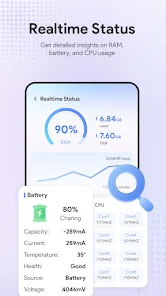
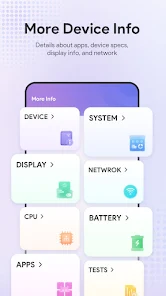
Device Tree functions as a powerful system profiler, extracting and displaying a vast array of technical specifications from an Android device. Its core functionality revolves around generating a detailed hierarchical map of the device's hardware and kernel information, similar to the Device Tree format used in the Linux kernel upon which Android is based. The app meticulously catalogs the CPU architecture, including core count, clock speeds, and supported instruction sets. It provides exhaustive lists of all hardware components such as sensors, their drivers, and available capabilities. For memory, it details RAM capacity and storage partitions. A key feature is its presentation of the kernel's device tree source (DTS), which outlines the hardware configuration the operating system boots with. This allows users to view the presence and status of various buses, I/O devices, and system-on-chip (SoC) elements. The interface is designed for clarity, organizing this complex data into a navigable tree structure for easy exploration and diagnosis.
Chapter 2: Value
The value of Device Tree lies in its unparalleled depth of technical insight, which is not accessible through conventional means. For developers and engineers, it is an indispensable debugging and development tool. It drastically reduces the time required to identify hardware-specific issues, verify driver compatibility, and understand the low-level environment for which they are building applications or custom ROMs. Technicians and support staff can use it to perform accurate hardware diagnostics, confirming the presence and functionality of components like sensors, cameras, and connectivity modules, which is crucial for repair and quality assurance. The app's detailed reporting empowers users to make informed decisions, such as checking for true hardware capabilities before a purchase or verifying manufacturer claims. Unlike generic system info apps, Device Tree provides a raw, unfiltered view of the system's foundation. This transparency offers a significant advantage in troubleshooting, development optimization, and educational purposes, providing a clear window into the otherwise opaque relationship between the Android OS and the underlying hardware, ultimately leading to more efficient problem-solving and a deeper understanding of mobile technology.
Chapter 3: Scenarios
Device Tree primarily targets a technical audience. Android application developers are a key user group, especially those working on system-level apps, games requiring specific hardware features, or custom kernels and ROMs. They use the app to gather precise device information for debugging and to ensure their software adapts correctly to different hardware configurations. Mobile device repair technicians and hardware engineers utilize Device Tree to diagnose faulty components, verify the authenticity of replacement parts, and confirm sensor functionality after repairs. Technology enthusiasts and power users who engage in rooting, modding, or simply want to understand their device's exact specifications find the app invaluable for exploring their hardware's limits and capabilities. In everyday use, a developer might launch Device Tree to check the exact GPU model and OpenGL ES version on a test device to resolve a graphics rendering bug. A technician might use it to confirm that a device's accelerometer is correctly detected by the system after a logic board replacement. An enthusiast might explore the app to learn about the specific image signal processor (ISP) in their phone's camera module.