


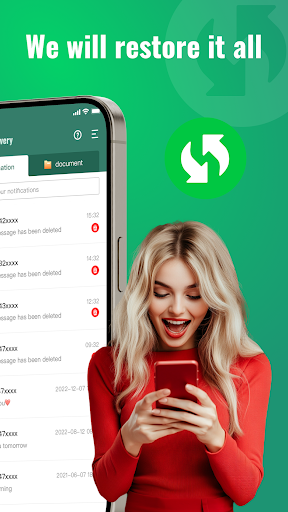



About GA Recovery Deleted Message Feature
GA Recovery Deleted Message is a specialized mobile application designed to retrieve lost text messages and related data on Android devices. It addresses a common and stressful digital problem: the accidental deletion of important conversations. The app employs deep scanning technology to search a device's internal storage and recover deleted SMS and MMS messages that are no longer visible in the standard messaging inbox. It provides users with a straightforward and intuitive interface to manage the recovery process, from initiating a scan to previewing and restoring found messages. By focusing solely on message recovery, it offers a targeted solution for individuals seeking to restore their personal or professional communications without requiring advanced technical knowledge.
Chapter 1: Function
The core function of GA Recovery Deleted Message is to scan an Android device's internal memory for traces of deleted text messages and multimedia messages. When a message is deleted, its data often remains on the storage medium until it is overwritten by new information. This application performs a deep scan to locate these residual data fragments. Upon launching, the app typically requests necessary permissions to access the device's storage. The user then initiates a scan, which thoroughly analyzes the memory for recoverable message data. Once the scan is complete, the app presents a list of discovered messages, often organized by date or contact. Users can preview the contents of these messages to verify their importance before selecting which ones to restore. The restoration function then saves the selected messages back onto the device, making them accessible again within the system's messaging application. This entire process is contained within a user-friendly interface that guides the individual step-by-step.
Chapter 2: Value
The primary value of GA Recovery Deleted Message lies in its ability to mitigate data loss and provide peace of mind. In an era where text messages can contain crucial information like verification codes, business details, or sentimental personal exchanges, losing them can be a significant setback. This app offers a powerful and accessible tool to reverse such losses. Its key advantage is its specialized focus; unlike broader file recovery tools, it is finely tuned to handle the specific data structures of SMS and MMS, which can lead to higher success rates in message retrieval. The app provides significant value by being easy to use, requiring no rooting of the Android device, which keeps the device's warranty intact and avoids potential security risks. For businesses, it can help recover lost client communications or important transactional details. For individuals, it can restore irreplaceable personal conversations with family and friends. The economic value is also clear, as it presents a low-cost software solution to a problem that might otherwise require expensive professional data recovery services. By empowering users to take direct control of their data retrieval, it saves time, reduces stress, and restores a sense of digital security, making it a valuable utility in anyone's app portfolio.
Chapter 3: Scenarios
The primary target users for GA Recovery Deleted Message are Android device owners who have experienced the accidental deletion of important text messages. This encompasses a wide range of individuals across different demographics. A common user scenario involves a person who has mistakenly deleted an entire conversation containing vital information, such as a flight itinerary, an address, or a one-time password. Another frequent scenario is a parent seeking to recover sentimental messages from their child. Professionals who use their personal phones for work are also key users; they might need to retrieve a message from a colleague or client that contained project details or meeting notes. Furthermore, individuals who have undergone a device malfunction or an app crash that led to message loss would find this application indispensable. In everyday use, a user might open the app immediately after realizing a message is gone, run a quick or deep scan, and within minutes, preview and restore the desired texts. It is also useful for those who are preparing to sell or factory reset their phone, allowing them to attempt a final recovery of any messages deleted during the cleanup process.







