



About Super Phone Manager Feature
Super Phone Manager is a comprehensive mobile utility application designed to optimize device performance, enhance security, and manage storage efficiently. It serves as an all-in-one toolkit for smartphone maintenance, catering to users who seek to maintain their device's health and longevity. The app integrates multiple essential functions into a single, user-friendly interface, eliminating the need for multiple disjointed utilities. By providing real-time monitoring and one-tap solutions, it empowers users to take control of their device's operational status, ensuring a smoother, faster, and more secure user experience. Its proactive approach to phone management helps prevent common issues before they impact the user.
Chapter 1: Function
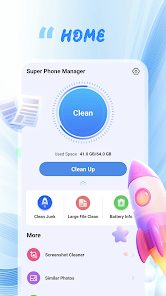
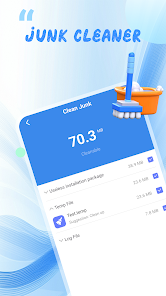
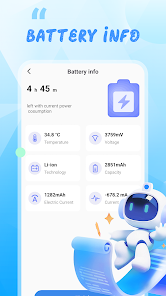
Super Phone Manager's core functionality is centered around four key areas: cleaning, cooling, security, and power management. The junk file cleaner scans the device's storage to identify and remove residual files, app caches, and unnecessary data, effectively freeing up valuable space. The CPU cooler monitors temperature and closes background processes that cause overheating, thereby preventing performance throttling. The security module includes a virus scanner that checks installed apps and files for potential malware, alongside an app locker for adding an extra layer of privacy to sensitive applications. Finally, the power saver feature analyzes battery usage by apps and suggests optimizations, such as restricting background activity for power-hungry applications, to extend battery life. These functions work in concert to provide a holistic maintenance solution.
Chapter 2: Value
The primary value of Super Phone Manager lies in its ability to simplify complex device maintenance, making advanced optimization accessible to all users, regardless of technical expertise. Its key advantage is the consolidation of multiple critical tools into one application, which saves users time and effort compared to managing several separate apps. By regularly cleaning junk files and managing background processes, the app directly contributes to a noticeable improvement in device speed and responsiveness, effectively delaying the perceived obsolescence of older phones. The security features provide peace of mind by proactively identifying threats and securing private data. Furthermore, the battery optimization tool can significantly prolong daily usage on a single charge, a major pain point for most smartphone users. This comprehensive care translates into a more reliable, efficient, and longer-lasting device, protecting the user's investment and enhancing daily digital interaction without requiring constant manual intervention.
Chapter 3: Scenarios
Super Phone Manager is ideally suited for a broad spectrum of smartphone users. The primary target groups include non-technical individuals who experience device slowdowns or storage issues but lack the knowledge to resolve them manually. It is also highly valuable for users with older phone models who need to maximize their device's remaining performance and battery life. In everyday use, a user might run the cleaner after extensive app usage or video streaming to clear several gigabytes of cache. Before starting a mobile game or an important video call, activating the CPU cooler can prevent lag and overheating. The app locker is frequently used to secure banking, social media, and messaging apps, especially on devices shared with family members. Finally, activating the power saver mode is a common scenario when away from a charger for an extended period, ensuring the battery lasts through a workday or a journey.







