





About Software Update Feature
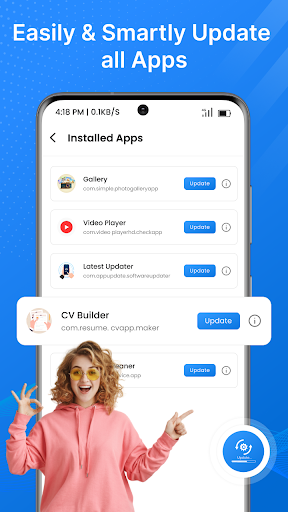
The Software Update app is a built-in system utility present on most smartphones and devices, designed to manage and install official firmware releases. It automatically checks for, downloads, and installs updates provided by the device manufacturer or mobile carrier. This tool serves as the primary channel for delivering new features, critical security patches, and performance improvements, ensuring the device's operating system and core components remain current, secure, and functional.
Chapter 1: Function
The core function of the Software Update app is to maintain the device's system software. It periodically connects to the manufacturer's servers to check for the availability of new updates. When an update is found, the app notifies the user and provides details about the new version, including its size and a list of changes, such as new features or security enhancements. Users can then choose to download the update, typically over Wi-Fi to conserve mobile data. Once downloaded, the app guides the user through the installation process, which often requires a device restart. It also manages the storage space needed for the update file and may temporarily remove unused files to facilitate the process. For convenience, an automatic update scheduling feature is commonly included, allowing installations to occur overnight during periods of low usage.
Chapter 2: Value
The value proposition of the Software Update app is centered on security, performance, and feature currency. Its primary advantage is the delivery of critical security patches that protect the device from newly discovered vulnerabilities and malware, safeguarding personal data and privacy. By regularly updating the system, it helps prevent potential security breaches that could lead to data theft or financial loss. Furthermore, the app provides performance optimizations and bug fixes that resolve existing issues, leading to a smoother, more stable, and faster user experience. It eliminates lag, improves battery life, and fixes software glitches that may cause apps to crash. Another significant value is access to the latest features and user interface improvements introduced by the operating system, enhancing the device's capabilities and usability without requiring the purchase of new hardware. This proactive maintenance extends the functional lifespan of the device, ensuring it remains compatible with newer applications and services. Ultimately, the app offers a convenient, centralized, and trustworthy method to keep a device optimized and secure against evolving digital threats.
Chapter 3: Scenarios
The primary target users for the Software Update app are all smartphone and device owners, from casual users to tech-savvy professionals. For the general user, a common scenario involves receiving a notification about a monthly security update. They can quickly install it to protect their device, often without noticing any major changes but with the assurance of enhanced security. Another scenario is a major operating system upgrade; a user excited about new features would use the app to download and install the latest OS version, transforming their device's interface and capabilities. Business professionals rely on this app to ensure their devices comply with corporate security policies that mandate the latest software versions to protect sensitive company information. Parents might use the app to update their children's devices, ensuring they are safe from online threats. Finally, users experiencing performance issues, such as rapid battery drain or app instability, would check for updates as a first troubleshooting step to resolve these problems through official software fixes.







