





About Cac Browser Feature
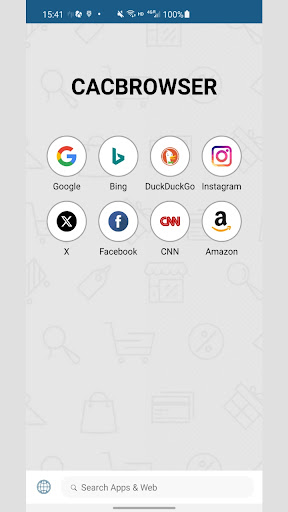
Cac Browser is a lightweight mobile web browser designed for users in regions with limited internet connectivity. It prioritizes data efficiency and speed, offering a streamlined browsing experience even on slow networks. The app achieves this through advanced data compression technology, which minimizes data usage while maintaining core browsing functionality. Unlike many mainstream browsers, Cac Browser focuses on essential features, reducing bloat and ensuring quick page loads. Its simple, intuitive interface makes it accessible to users of all technical levels, from tech-savvy individuals seeking to save data to first-time internet users in emerging markets. The browser supports multiple languages and provides a stable, reliable way to access information online, making it a practical tool for overcoming connectivity barriers.
Chapter 1: Function
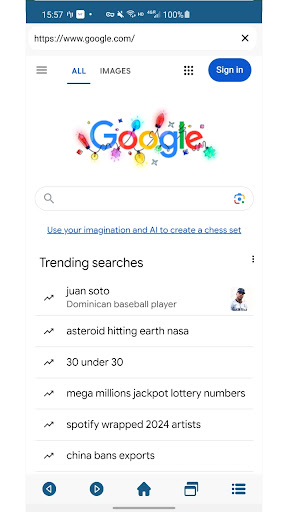
Cac Browser's core functionality revolves around efficient data management and fast web access. Its primary feature is robust data compression, which processes web pages through proxy servers to reduce their size before loading on the user's device. This significantly cuts down on data consumption. The browser supports tabbed browsing, allowing users to open multiple pages simultaneously. It includes a download manager for saving files, images, and videos directly to the device. A fundamental feature is its ability to load text and basic images quickly, even on 2G or unstable 3G networks, by stripping away non-essential, data-heavy elements from websites. It also offers a search function, bookmarking capabilities, and history tracking. The interface is minimalistic, focusing on the address bar and navigation controls to ensure ease of use without overwhelming the user with complex options or settings.
Chapter 2: Value
The principal value of Cac Browser lies in its ability to democratize internet access. For users with expensive, limited, or unreliable data plans, the app provides substantial cost savings by reducing data usage by up to fifty percent or more. This financial benefit is a key advantage in emerging economies. Furthermore, its speed optimization transforms a frustratingly slow browsing experience into a usable one, saving time and reducing user frustration. Unlike heavier browsers that require strong processors and ample RAM, Cac Browser is designed to perform well on low-end and older smartphone models, extending the life of hardware and making the internet accessible to a wider demographic. Its commitment to a lightweight, no-frills experience means there are no unnecessary features that drain battery life. This focus on core performance over aesthetic extras establishes Cac Browser as a highly practical and utilitarian tool. It delivers a reliable and consistent performance where other browsers might fail, ensuring that users can read news, access educational resources, check emails, and use social media even under suboptimal network conditions. This reliability builds user trust and dependence on the app as a crucial gateway to the digital world.
Chapter 3: Scenarios
Cac Browser is ideally suited for specific user groups and daily situations where connectivity is a challenge. Its primary target audience includes students and young people in areas with poor internet infrastructure who need to research for studies or stay connected on social media without exhausting their limited data allowances. Travelers and commuters who frequently find themselves in areas with weak cellular signals can rely on it to load crucial information like maps or travel updates. Professionals in remote locations or with jobs that involve moving between areas with varying network quality use it to ensure they can always access work emails and essential web portals. It is also highly valuable for cost-conscious individuals and families who must strictly monitor their monthly data consumption to control expenses. Everyday use cases involve reading text-heavy articles, checking news headlines, accessing Wikipedia for quick information, and using messaging web clients when dedicated apps are too data-intensive. It serves as a vital backup browser for when primary browsers are too slow or data-inefficient to be practical.







