




About Fast Clean Manager Feature
Fast Clean Manager is a comprehensive mobile optimization application designed to enhance device performance through systematic junk file cleaning, storage management, and privacy protection. It serves as an all-in-one maintenance tool that addresses common smartphone issues like sluggish operation, insufficient storage space, and privacy concerns. The app combines automated scanning with intuitive manual controls, making device maintenance accessible to users with varying technical expertise. By regularly removing residual files, cache data, and unnecessary installation packages, Fast Clean Manager helps maintain optimal device speed and responsiveness while safeguarding personal information from potential security risks.
Chapter 1: Function
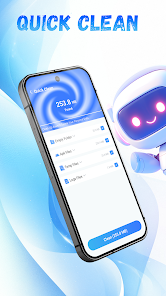
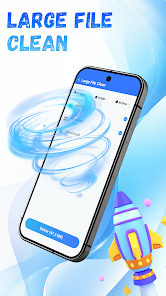
Fast Clean Manager operates through multiple core functions that collectively optimize device performance. The primary feature is junk file cleaning, which scans and removes cache data accumulated from apps, browsing history, and system processes. This includes residual files from app usage, temporary documents, and advertisement caches that occupy valuable storage space. The storage analysis function provides visual representations of space usage, categorizing content by file type and size to help users identify space-hogging items. Additionally, the app includes a duplicate file detector that finds identical photos, videos, or documents, allowing for selective deletion. The memory boost feature clears background processes and apps that consume RAM, instantly improving device responsiveness. Privacy cleaning specifically targets browsing history, search records, and clipboard data to prevent sensitive information from being accessed. All these functions can be executed through one-tap optimization or customized manually based on user preferences.
Chapter 2: Value
The value proposition of Fast Clean Manager lies in its ability to extend device lifespan and enhance user experience through consistent performance optimization. By regularly clearing unnecessary files, the app directly addresses the common problem of device slowdown that occurs over time with normal usage. This preventive maintenance approach reduces system crashes, app freezes, and loading delays, ultimately saving users from frustration and potential productivity losses. The storage management capabilities provide tangible economic value by helping users maximize existing device storage rather than requiring premature upgrades or expensive cloud storage subscriptions. The privacy protection features offer security value by systematically eliminating digital footprints that could be exploited by malicious software or unauthorized access. Unlike built-in device maintenance tools, Fast Clean Manager offers more granular control with detailed categorization of files, enabling informed decisions about what to delete or keep. The app's interface is designed for efficiency, presenting complex system data in an easily understandable format that doesn't require technical knowledge. Regular updates ensure compatibility with evolving operating systems and new types of digital clutter, providing long-term relevance. The combination of automated scheduling and manual override options accommodates both passive and active maintenance preferences, making sustainable device care accessible to all user types.
Chapter 3: Scenarios
Fast Clean Manager primarily serves smartphone users who experience performance issues or storage constraints on their devices. The most common user groups include students and young professionals with mid-range devices who need to maintain smooth operation for educational apps, social media, and productivity tools without frequent device upgrades. Elderly users benefit from the one-tap optimization feature that simplifies device maintenance without technical complexity. Photography enthusiasts and mobile gamers represent another key demographic, as these activities generate substantial cache files and temporary data that can slow down devices. Practical use cases include pre-meeting optimization when users need to ensure their device runs smoothly for presentations, periodic storage cleanup before installing large applications or system updates, and routine privacy cleaning after online banking sessions or sensitive document handling. Travelers use the app to free up space for photos and navigation maps, while parents employ it to maintain children's educational tablets by clearing app caches and restricting background processes. The app also serves small business owners who share devices among employees and need to clear user data between shifts for privacy protection. These diverse scenarios demonstrate how Fast Clean Manager integrates into daily digital hygiene routines across various user demographics and needs.







