
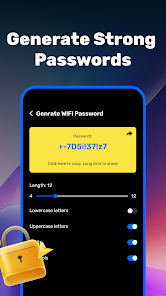



About Wifi Password Show Feature
Wifi Password Show is a utility application designed to retrieve and display saved Wi-Fi passwords on Android devices. It serves users who need to recover forgotten network credentials stored on their phones, offering a straightforward solution for accessing secured wireless connections. The app operates by accessing system-stored password data, presenting it in a clear, readable format for user reference. This tool is particularly valuable for individuals managing multiple networks or sharing access with guests, eliminating the need for manual password resets or router configuration checks. By simplifying password recovery, it enhances connectivity management and reduces technical friction in everyday digital life.
Chapter 1: Function
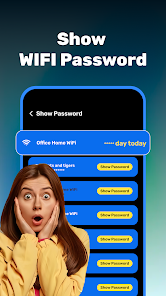
Wifi Password Show performs a core function of retrieving and displaying saved Wi-Fi passwords directly from an Android device. When launched, the app scans the system for stored wireless network credentials and presents them in a list format, showing both network names (SSIDs) and their corresponding passwords. It does not hack or extract passwords from external sources; instead, it accesses legally stored data on the device itself, requiring no internet connection to operate. The interface is simple, typically featuring a refresh button to update the list and options to copy passwords to the clipboard for easy sharing. This functionality relies on the device having previously connected to the networks listed, and it may require root access on newer Android versions to retrieve all passwords, ensuring transparency in its operation.
Chapter 2: Value
The primary value of Wifi Password Show lies in its ability to restore access to forgotten Wi-Fi credentials quickly and without technical expertise. For users who manage multiple networks at home, work, or other frequented locations, forgetting a password can disrupt productivity and cause significant inconvenience. This app eliminates the need to perform router resets, contact internet service providers, or manually search through old records, saving time and reducing frustration. Its key advantage is convenience; by providing immediate access to saved passwords, it facilitates seamless network sharing with guests, family members, or new devices. Furthermore, it enhances digital autonomy, empowering users to manage their connectivity independently. Unlike some utilities, it operates offline, ensuring privacy and security by not transmitting data over the internet. However, users should note its limitations on non-rooted devices with modern Android OS, where system restrictions may prevent access to certain passwords. Despite this, for compatible devices, it remains a reliable, efficient tool for maintaining uninterrupted network access and simplifying digital life.
Chapter 3: Scenarios
Wifi Password Show primarily targets Android users who frequently need to access or share Wi-Fi passwords but struggle to recall them. Key user groups include homeowners managing family networks, IT support personnel troubleshooting connectivity issues, and small business owners overseeing office internet access. In everyday scenarios, a user might employ the app when a friend visits and requests Wi-Fi access, allowing the host to quickly retrieve and share the password without searching for router documentation. Similarly, when setting up a new device like a smart TV or tablet, the app can provide the necessary network credentials if the primary device used for setup is unavailable. Travelers who connect to various networks and later need to reconnect other devices also benefit, as the app stores credentials from past locations. It is particularly useful in environments with multiple secured networks, such as shared workspaces or residential complexes, where manually remembering each password is impractical. These use cases highlight the app's role in fostering seamless connectivity and efficient problem-solving in daily routines.







