
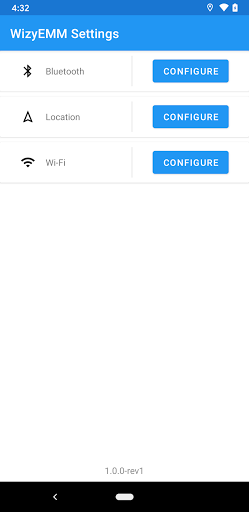



About Settings Feature
The Settings app is a fundamental system utility pre-installed on smartphones and tablets, serving as the central control panel for device configuration. It provides users with comprehensive access to manage hardware, software, and connectivity options, ensuring the device operates according to personal preferences and security requirements. This application is indispensable for tailoring the user experience, from basic sound adjustments to advanced developer options.
Chapter 1: Function
The Settings app functions as the central hub for configuring a device's operational parameters. Its core capabilities are organized into logical sections for efficient navigation. The primary functions include managing network connectivity such as Wi-Fi, Bluetooth, and Mobile Data. It allows users to configure sound and display settings, including volume, brightness, and wallpaper. The app is crucial for managing notifications and permissions for all installed applications, giving users control over which apps can access location, camera, or microphone. It provides access to system security features like screen lock setup, fingerprint recognition, and device encryption. Furthermore, it handles user account synchronization for services like Google or Apple ID, manages battery usage statistics, oversees storage space, and facilitates software updates for the operating system. It also includes accessibility options to assist users with disabilities, making the device usable for a wider audience.
Chapter 2: Value
The value of the Settings app lies in its role as the definitive source for device personalization, optimization, and security. It empowers users by providing granular control over their digital environment, transforming a standard device into a personalized tool. A key advantage is the enhancement of privacy and security; users can review and revoke app permissions, manage security locks, and locate or remotely wipe a lost device. This control is fundamental to protecting personal data. Secondly, it offers significant optimization value. Users can monitor battery consumption by different apps, manage storage by clearing caches, and improve performance by disabling unused features, thereby extending the device's lifespan and efficiency. The app also delivers immense personalization value, allowing users to adjust everything from font size and ringtones to system-wide dark mode, creating a comfortable and accessible user experience. Its unified and consistent interface across different device models simplifies complex system management, making advanced technical adjustments accessible to non-technical users. Without the Settings app, users would be unable to troubleshoot connectivity issues, conserve battery life, protect their information, or simply make their device feel like their own, making it an irreplaceable component of the mobile operating system.
Chapter 3: Scenarios
The primary user groups for the Settings app are virtually all smartphone and tablet owners, as it is an essential system component. Its use cases are deeply integrated into everyday device management. For the privacy-conscious user, it is frequently accessed to audit which applications have permission to access sensitive data like location or contacts, especially after installing new apps. Travelers rely on it to quickly enable Airplane Mode or connect to a new Wi-Fi network upon arrival at a hotel or airport. Parents use the app to set up screen time limits and content restrictions for their children's devices. When a device begins to run slowly or storage space is low, users navigate to Settings to clear app caches and review storage usage. Technically inclined users or developers explore advanced settings to enable debugging features or adjust animation scales for a perceived performance boost. Furthermore, individuals with visual or auditory impairments depend on the accessibility settings to enlarge text, enable screen readers, or adjust audio balance, making the device functional for their specific needs. In essence, any situation requiring a change to the device's behavior, from a simple ringtone change to a complex network configuration, is a scenario for using the Settings app.







