


About Google Chrome Feature
Google Chrome is a widely-used web browser developed by Google, known for its speed, simplicity, and security. It offers a seamless browsing experience across multiple devices and platforms, making it a top choice for users worldwide. With its clean interface and powerful features, Chrome has become an essential tool for accessing the internet efficiently and safely.
Chapter 1: Function
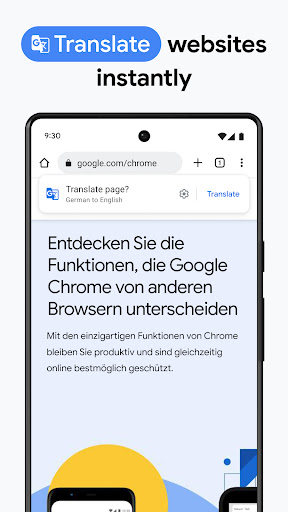
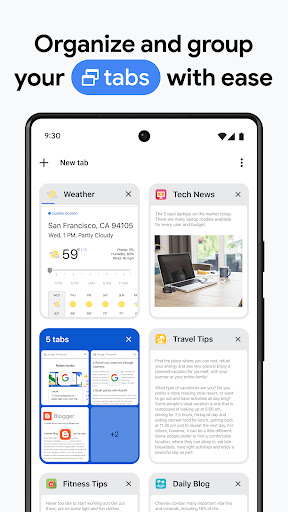
Google Chrome serves as a comprehensive web browser with core functions centered around fast and secure internet navigation. It features a minimalist design with an integrated search and address bar, known as the Omnibox, which allows users to quickly search Google or enter URLs. Chrome supports tabbed browsing, enabling multiple web pages to be open simultaneously in a single window. It includes bookmark management for saving and organizing favorite sites, and a history function to revisit previously viewed pages. The browser also offers incognito mode for private browsing, where no history or cookies are stored. Additionally, Chrome provides automatic translation of web pages, form autofill for convenience, and supports various web standards and extensions to enhance functionality. Its synchronization capability allows users to access their bookmarks, history, and settings across all devices where they are signed in with their Google account.
Chapter 2: Value
Google Chrome's value proposition lies in its exceptional speed, robust security, and seamless integration with Google's ecosystem. One key advantage is its performance; Chrome uses the V8 JavaScript engine to load web pages quickly and handle complex web applications efficiently. Security is a top priority, with features like Safe Browsing that warn users about potentially dangerous sites, automatic updates to protect against the latest threats, and sandboxing to isolate web pages and prevent malware from affecting the system. Chrome's cross-device synchronization is another major benefit, allowing users to sync their browsing data, including bookmarks, passwords, and open tabs, across smartphones, tablets, and computers. This creates a unified experience, making it easy to switch between devices without losing progress. The browser's extensive library of extensions and web apps from the Chrome Web Store enables customization and added functionality, catering to diverse user needs from productivity to entertainment. Furthermore, Chrome's compatibility with a wide range of web standards ensures a consistent and reliable browsing experience. Its user-friendly interface and regular updates keep it at the forefront of web technology, providing long-term value through continuous improvement and innovation.
Chapter 3: Scenarios
Google Chrome is ideal for a broad range of user groups, including students, professionals, and casual internet users. Students benefit from its fast performance for research and access to educational tools, while professionals rely on its efficiency for work-related tasks such as email management, video conferencing, and cloud-based applications. Everyday use cases include browsing news websites, streaming videos on platforms like YouTube, online shopping, and social media engagement. In educational settings, teachers and students use Chrome for accessing online resources and collaborative projects. For business environments, it supports remote work through integrated Google Workspace apps like Docs and Sheets. Families and individuals appreciate its simplicity for personal use, such as planning trips, managing finances, or staying connected with friends. Chrome's incognito mode is useful for private browsing sessions, and its translation feature aids in accessing content in different languages. Overall, Chrome adapts to various scenarios, providing a reliable and efficient browsing solution for both individual and collective needs.