



About JLab App Features
The JLab app is a dedicated companion application designed to enhance the user experience with JLab Audio's range of wireless audio products, including earbuds and headphones. It serves as a centralized control hub, allowing users to personalize their audio settings, manage device connections, and access firmware updates seamlessly. By bridging the gap between hardware and user preference, the app empowers individuals to tailor their listening experience to their exact specifications, ensuring optimal performance from their JLab devices. Its intuitive interface and robust feature set make it an essential tool for any JLab product owner seeking to unlock the full potential of their audio gear.
Chapter 1: Function
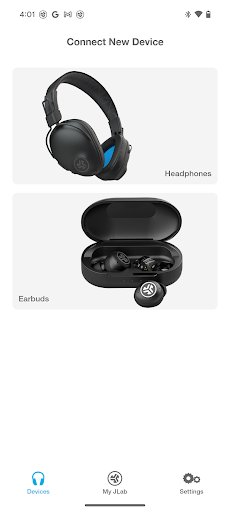
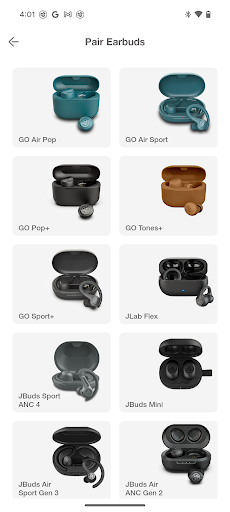
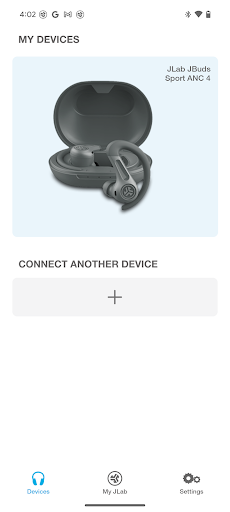
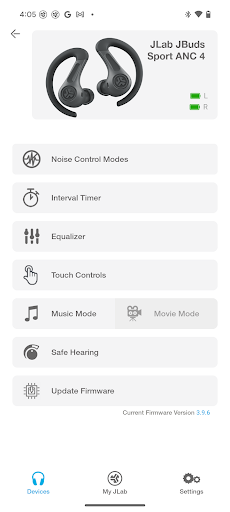
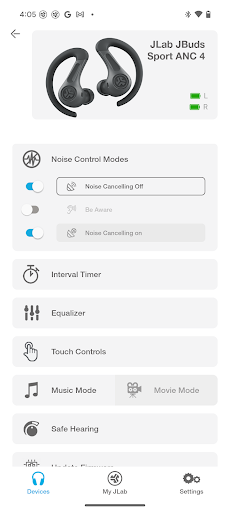
The JLab app provides comprehensive control over compatible JLab audio devices. Its core functions revolve around audio customization and device management. Users can fine-tune their listening experience through a multi-band equalizer, offering preset sound signatures like Balanced, Bass Boost, and JLab Signature Sound, alongside the ability to create and save custom EQ settings. The app facilitates seamless Bluetooth connectivity, displaying battery levels for both the earbuds and the charging case. Furthermore, it grants control over touchpad gestures, allowing users to reassign functions for play, pause, track skipping, and voice assistant activation to suit their preferences. Another critical function is the delivery of over-the-air firmware updates, ensuring devices remain up-to-date with the latest features and performance improvements. These functionalities are integrated into a clean, user-friendly interface for easy navigation and adjustment.
Chapter 2: Value
The primary value of the JLab app lies in its ability to transform a standard pair of earbuds or headphones into a personalized audio instrument. It elevates the user from a passive listener to an active participant in shaping their soundscape. The key advantage is the profound level of audio customization; the sophisticated EQ system allows for precise adjustments that can enhance music genres, optimize podcast clarity, or amplify bass for immersive gaming. This personalization ensures that the product adapts to the user, not the other way around. Secondly, the app significantly enhances convenience and device longevity. Managing connections and monitoring battery life from a single dashboard prevents unexpected power depletion. The timely firmware updates provided through the app fix bugs, improve connectivity, and sometimes add new features, thereby protecting the user's investment and extending the product's useful life. Ultimately, the JLab app delivers a superior, tailored, and future-proof audio experience, maximizing satisfaction and the functional value of the hardware.
Chapter 3: Scenarios
The JLab app is ideally suited for a wide array of users who prioritize a customized and controlled audio experience. Primary target groups include audiophiles and music enthusiasts who demand precise sound shaping capabilities to hear their music exactly as they prefer. It is also highly valuable for frequent commuters and travelers who rely on their earbuds daily and need to manage battery life efficiently and quickly adjust settings between environments, like a noisy train and a quiet office. Fitness enthusiasts represent another key demographic; they can use the app to set a motivating bass-heavy EQ for workouts and ensure their earhooks and controls are configured for stability and ease of use during physical activity. In everyday use, a user might open the app to switch to a Balanced EQ for a work conference call, then later activate Bass Boost for an evening run, and finally check the battery level to ensure the earbuds are charged for the next day, all through a single, integrated platform.







