
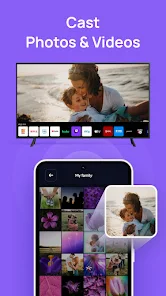



About Universal Smart TV Remote Ctrl Feature
Universal Smart TV Remote Ctrl is a versatile mobile application designed to transform your smartphone into a universal remote control for a wide array of television brands and set-top boxes. By leveraging infrared (IR) blaster technology or Wi-Fi connectivity, it eliminates the need for multiple physical remotes, offering a unified and convenient control solution. This app provides a user-friendly interface that mimics traditional remote layouts while adding modern smart functionalities, making it an essential tool for managing your home entertainment system with ease and efficiency from a single device.
Chapter 1: Function
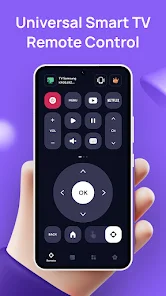
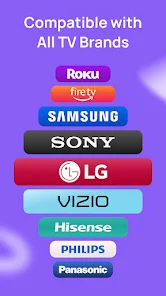
The core function of Universal Smart TV Remote Ctrl is to replicate the capabilities of a standard television remote through your mobile device. For phones with an IR blaster, the app transmits signals directly to your TV, enabling control over power, volume, channel navigation, input selection, and menu access. For devices without an IR port, it utilizes Wi-Fi to communicate with compatible smart TVs and streaming boxes, allowing similar control. The app features an extensive database of codes for thousands of TV brands, including Samsung, LG, Sony, and Vizio, ensuring broad compatibility. Key operations include turning the TV on and off, adjusting audio settings, changing channels, and accessing smart features like built-in apps. The setup process is straightforward, typically involving selecting your TV brand from a list or using an automatic code search function for quick pairing.
Chapter 2: Value
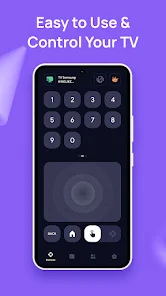
The primary value proposition of Universal Smart TV Remote Ctrl lies in its ability to consolidate control and enhance user convenience. Its most significant advantage is replacing a clutter of physical remotes with a single, always-available smartphone interface, reducing frustration and lost remote incidents. The app offers a cost-effective solution, providing the utility of a universal remote without additional hardware purchases. It adds value through advanced features not found on standard remotes, such as customizable layouts, favorite channel lists, and the ability to control multiple devices from different brands within one app. For smart TVs, Wi-Fi control can enable keyboard input for easier text entry on apps like YouTube or Netflix. The user experience is streamlined with an intuitive design that is often easier to navigate than complex original remotes. Furthermore, regular updates ensure ongoing compatibility with new TV models and software, making it a future-proof investment for your home entertainment setup. This combination of consolidation, advanced functionality, and cost savings delivers substantial practical value to the user.
Chapter 3: Scenarios
Universal Smart TV Remote Ctrl is ideally suited for a diverse range of users and everyday situations. The primary target audience includes individuals who have misplaced their original remote, own multiple TVs from different brands, or simply prefer the convenience of using their smartphone for all controls. It is particularly beneficial in households with shared living spaces, where a single app can serve everyone without the need to search for a physical remote. Common use cases involve quickly turning on the TV and switching inputs to a gaming console or streaming device, adjusting the volume during a movie without interrupting the viewing experience, and effortlessly navigating smart TV menus and virtual keyboards. It is also invaluable in commercial settings like hotels, bars, or waiting rooms that utilize various TV models, allowing for centralized management. For travelers, the app can provide a familiar control scheme for hotel televisions, enhancing the overall convenience and comfort of their stay.







