



About File Recovery, Photo Recovery App Feature
File Recovery, Photo Recovery is a specialized mobile application designed to retrieve lost, deleted, or corrupted digital content directly from a smartphone or tablet. It serves as a critical tool for data rescue, employing sophisticated scanning algorithms to delve into the device's storage and recover a wide array of file types. The app primarily focuses on restoring precious memories like photos and videos, but often extends its capabilities to documents, audio files, and other important data that users may accidentally erase. Its intuitive interface is built to guide users through the recovery process with minimal technical knowledge required, making data restoration accessible to everyone. In an era where our digital lives are stored on mobile devices, this app acts as a reliable safety net against accidental data loss, ensuring that valuable information is not permanently gone.
Chapter 1: Function
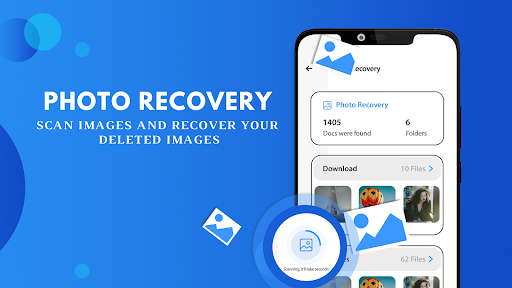
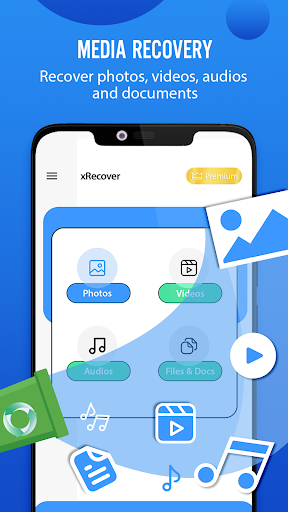
The core function of the File Recovery, Photo Recovery app is to scan a device's internal storage and, where permitted, external SD cards to locate and restore deleted files. Upon launching, the app typically presents users with a list of recoverable file categories, such as Images, Videos, Audio, and Documents. Once a category is selected, a deep scan is initiated. This process searches through the storage sectors, identifying files that have been marked for deletion but whose data remnants still exist. Users are then presented with a list of recoverable items, often with preview capabilities for images and videos to confirm their integrity before restoration. The app allows for selective recovery, enabling users to choose specific files rather than restoring everything. After selection, the app proceeds to save the recovered files to a safe directory on the device or cloud storage, effectively bringing lost data back to a usable state. This entire workflow is packaged within a straightforward, step-by-step interface.
Chapter 2: Value
The paramount value proposition of the File Recovery, Photo Recovery app lies in its ability to mitigate distress and prevent permanent data loss. Its key advantage is providing a direct, user-controlled solution that can be deployed instantly, bypassing the need for costly professional data recovery services or complex desktop software. For many users, the photos and videos stored on their phones are irreplaceable memories; this app safeguards those digital assets. The value is further amplified by its proactive utility. Accidental deletion, system crashes, failed updates, or even a factory reset without a proper backup are common scenarios where the app proves invaluable. It empowers users by giving them a second chance. Beyond photos, the recovery of important documents, work files, or message histories can prevent significant professional and personal inconvenience. The app's efficiency in scanning and its success rate in recovering recently deleted files are its technical pillars of value. Furthermore, by offering a one-time purchase or a freemium model, it presents a cost-effective insurance policy for the vast amount of data held on a mobile device, delivering peace of mind and tangible recovery capabilities directly into the user's hands.
Chapter 3: Scenarios
The primary target users for this app are virtually any smartphone owner who stores valuable data on their device and does not maintain a perfect, continuous backup routine. A key demographic includes parents and family members who capture daily life through photos and videos, for whom the accidental deletion of a child's first steps or a family vacation video would be devastating. Students and professionals form another core group, as they often use their phones to store lecture notes, project drafts, presentation slides, and scanned documents. Losing such files before a deadline could be catastrophic. Technologically inexperienced users who may not be adept with cloud backup services also greatly benefit from the app's straightforward recovery process. Everyday use cases are numerous: a user might accidentally select 'Delete All' instead of a single photo; a device might malfunction during a software update, corrupting files; a borrowed phone being returned to factory settings could wipe personal data. In each case, the File Recovery app is the first and most accessible line of defense, enabling users to independently retrieve their data quickly and efficiently, restoring both their files and their peace of mind.







