




About File Recovery App Feature
File Recovery is a specialized mobile application designed to retrieve accidentally deleted or lost files from internal storage and external SD cards. It serves as a digital safety net for users who have lost precious photos, important documents, videos, or other critical data due to accidental deletion, system crashes, or formatting errors. The app employs advanced scanning algorithms to locate and restore files that seem permanently gone from the device. With an intuitive interface and powerful recovery capabilities, File Recovery bridges the gap between data loss and permanent deletion, offering users a second chance to reclaim their valuable digital content without requiring technical expertise or computer connection.
Chapter 1: Function
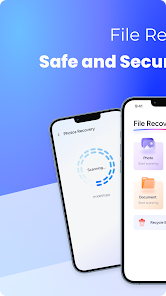
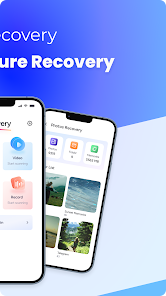
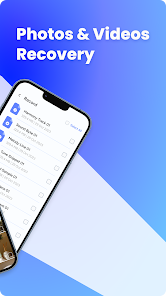
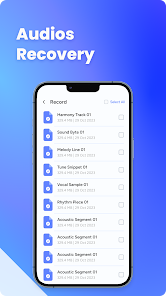
File Recovery operates through a systematic three-step process: scan, preview, and restore. Upon launching the app, users select the storage location they wish to scan - either internal memory or external SD card. The app then performs deep scanning using sophisticated algorithms that can identify recoverable file signatures even after deletion. During scanning, it categorizes found files into types like images, documents, videos, and audio for easier navigation. The preview function allows users to verify file integrity before recovery, showing thumbnails for images and basic information for documents. Once users select the files they want to recover, the app restores them to a specified folder while maintaining original quality where possible. Additional functions include filtering options by file type, date, and size to streamline the recovery process, along with secure deletion of sensitive files to prevent future recovery by others.
Chapter 2: Value
The primary value of File Recovery lies in its ability to transform potential data disasters into manageable situations, saving users from significant emotional distress and practical inconvenience. For personal users, it protects irreplaceable memories like family photos and videos that carry sentimental value beyond measure. For professionals and students, it safeguards important work documents, projects, and academic materials that may represent hours or even weeks of effort. The app's key advantages include its non-destructive recovery method that doesn't overwrite existing data, high recovery success rates for recently deleted files, and compatibility with various file formats including JPEG, PNG, PDF, DOC, MP4, and MP3. Unlike cloud-based solutions, File Recovery works directly on the device without requiring internet connectivity, ensuring privacy and immediate access. The economic value is substantial compared to professional data recovery services that can cost hundreds of dollars. Furthermore, the app's straightforward design eliminates the technical barrier typically associated with data recovery, empowering all users regardless of technical proficiency to successfully retrieve their lost files with minimal effort and time investment.
Chapter 3: Scenarios
File Recovery primarily serves three user groups across various everyday situations. First, casual smartphone users frequently encounter accidental deletion when managing storage space or organizing files. Common scenarios include mistakenly deleting vacation photos while clearing space for new pictures, or removing important documents during routine file cleanup. Second, students and academics benefit from the app when losing research materials, assignment drafts, or study notes due to device malfunctions or human error - particularly critical during exam periods or before project deadlines. Third, professionals and small business owners utilize File Recovery when crucial work documents, client information, or business records disappear after system updates or application crashes. Everyday use cases extend to recovering downloaded files erased by cleaning applications, retrieving media files lost during transfer between devices, and restoring configuration files accidentally removed while uninstalling applications. The app proves particularly valuable for photographers and content creators who frequently manage large media libraries and face higher risks of accidental data loss during file organization and editing processes.







