
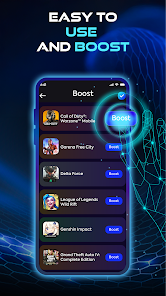



About 120 FPS GFXSpeedUP Feature
120 FPS GFXSpeedUP is a specialized mobile application designed to enhance the graphical performance and smoothness of games on Android devices. It focuses on unlocking or enabling higher frame rates, particularly targeting a 120 frames-per-second experience, in supported mobile games. The app operates by optimizing system-level graphics settings and bypassing default frame rate limitations, providing a more fluid and responsive visual output. It is tailored for gamers who seek a competitive edge and a superior visual experience from their hardware, often without requiring root access. By prioritizing performance and fluidity, it aims to transform standard gaming into a high-refresh-rate spectacle.
Chapter 1: Function
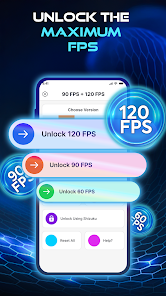
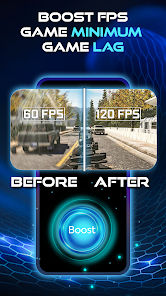
The core function of 120 FPS GFXSpeedUP is to modify the graphics settings of mobile games to achieve a higher, smoother frame rate. Upon launching the app, users are typically presented with a list of installed games compatible with its optimization engine. The primary tool is a one-tap booster or a configurator that adjusts the Graphics Processing Unit (GPU) parameters and game profile settings. This process often involves forcing a 120 FPS mode or a similar high-refresh-rate profile, even if the game does not natively offer this option in its standard settings menu. The application works by interacting with the device's rendering pipeline, reducing graphical bottlenecks, and minimizing lag. It essentially tricks the game into running at a higher frame rate than intended, providing a noticeably smoother visual flow during fast-paced action, quick camera pans, and intensive graphical scenes. This function is central to delivering a seamless and immersive gaming experience on capable hardware.
Chapter 2: Value
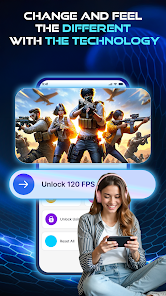
The primary value proposition of 120 FPS GFXSpeedUP lies in its ability to significantly elevate the mobile gaming experience by maximizing the visual fluidity and responsiveness of games. The key advantage is the delivery of a 120 FPS experience, which translates to smoother animations, reduced motion blur, and significantly lower input lag. This provides a tangible competitive edge in fast-paced multiplayer and action games, where split-second reactions are critical. Players can track moving targets more easily and enjoy more precise control, which can directly impact their performance and win rates. Beyond competitive play, the enhanced smoothness makes any game more visually pleasing and immersive, transforming the overall enjoyment. Another major value is its accessibility; the app often delivers these high-end graphical improvements without the need for technical expertise like rooting the device, making advanced performance tuning available to a broader audience. It effectively unlocks the hidden potential of a user's smartphone GPU, ensuring they get the best possible performance from their hardware investment. By focusing solely on frame rate optimization, it fills a specific niche that general-purpose cleaner or booster apps often overlook, providing a specialized and potent solution for serious mobile gamers.
Chapter 3: Scenarios
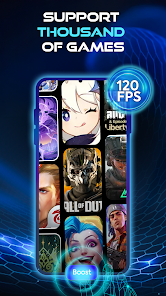
The primary target users for 120 FPS GFXSpeedUP are dedicated mobile gamers who own devices with high-refresh-rate screens (90Hz, 120Hz, or higher) but find that many of their favorite games do not utilize the full potential of their hardware. Competitive players of titles like Call of Duty: Mobile, PUBG Mobile, or Genshin Impact form a core user group, as they benefit immensely from the reduced input lag and smoother visuals during intense battles. Another key scenario involves emulator enthusiasts who play classic console games on their phones and desire a buttery-smooth, modernized experience. Everyday use cases include launching the app before a gaming session to activate the frame rate boost for a specific title, ensuring optimal performance from the start. Users might also employ it to compare the visual smoothness between standard and boosted modes, fine-tuning their experience for different genres. It is particularly valuable for gamers with capable mid-range or flagship phones who want to bridge the gap between their device's hardware capabilities and the software limitations imposed by game developers, guaranteeing a premium, high-frame-rate gaming session wherever they are.







