TV Cast for Chromecast TV
Tools- Category Tools
- Size 31.7MB
- Requirements Android 0 and up
- Downloads 780,000,000+
- Package Name co.vulcanlabs.castandroid
- Content Rating Everyone
About TV Cast for Chromecast TV Feature
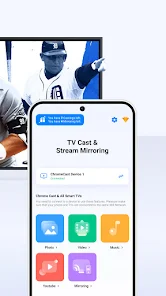
TV Cast for Chromecast TV is a specialized mobile application designed to bridge the gap between handheld devices and the big screen. It enables users to seamlessly stream a wide variety of online video content directly from their smartphones or tablets to their Chromecast-enabled televisions. This app acts as a powerful browser and casting tool, allowing for a personalized and convenient viewing experience. By leveraging the Google Cast protocol, it transforms your TV into a dynamic display for web-based media, offering a simple and effective solution for enjoying internet videos with family and friends in a shared, comfortable setting.
Chapter 1: Function
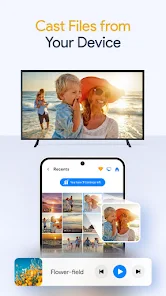
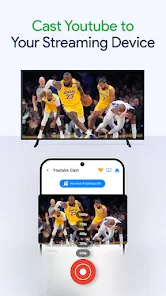
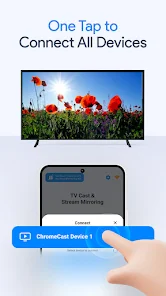
TV Cast for Chromecast TV functions as a dedicated media browser and casting engine. Its core operation revolves around allowing users to visit video websites directly within the app's integrated browser. Once a video is playing on a supported site, a single tap on the cast button sends the video stream directly to the Chromecast device connected to the TV. The app handles the technical aspects of the connection and playback, freeing the mobile device for other tasks once the stream is initiated. It supports a vast array of online video platforms beyond the standard curated apps, including many sites that do not have native Chromecast support built into their web players. Furthermore, the app often provides basic playback controls, such as play, pause, and seek, directly from the mobile interface, and can play local video files stored on the device by uploading them to the TV.
Chapter 2: Value
The primary value of TV Cast for Chromecast TV lies in its universality and user empowerment. It eliminates the frustration of encountering online videos that lack a built-in cast button, effectively unlocking the full potential of web-based video content for the living room TV. This provides a significant advantage over being limited to a fixed set of pre-installed streaming applications. The app offers a unified and consistent casting experience across a multitude of websites, saving users the hassle of searching for specific, often non-existent, native TV apps for their favorite niche or international video sources. Another key benefit is the liberation of the user's mobile device. After initiating the cast, the phone or tablet can be used for browsing, calls, or games without interrupting the video playback on the television. This creates a more flexible and efficient media consumption environment. For power users, the ability to cast local video files from the device's storage adds another layer of utility, effectively turning the Chromecast into a versatile media server. Altogether, TV Cast delivers enhanced convenience, expanded content access, and greater control over the home viewing experience.
Chapter 3: Scenarios
TV Cast for Chromecast TV is ideally suited for a broad spectrum of users who consume diverse online media. The primary target audience includes tech-savvy individuals and families who frequently watch videos from various websites that are not mainstream streaming services. This includes users who follow content on news sites, educational platforms, or international media portals that lack dedicated TV apps. It is also highly valuable for social gatherings, where a group might want to watch a viral video, a live stream from a social media platform, or a home video directly on a large screen for everyone to see. Students and professionals can use the app to cast presentation videos or tutorials from educational websites onto a larger display for group study sessions or informal meetings. Furthermore, travelers staying in accommodations with a TV and Chromecast can use the app to cast their own preferred content without being restricted by the hotel's limited app selection. In everyday use, it serves as a reliable tool for effortlessly moving any web-based video from a personal device to the shared television space.