PDF Pro
Business- Category Business
- Size 12.1MB
- Requirements Android 0 and up
- Downloads 200,000,000+
- Package Name pro.viewpdf.com
- Content Rating Everyone
About PDF Pro Feature
PDF Pro is a comprehensive mobile application designed for creating, editing, annotating, and managing PDF documents directly on smartphones and tablets. It serves as a powerful, portable toolkit for professionals, students, and anyone who regularly works with PDF files. The app consolidates a wide array of essential PDF functions into a single, user-friendly interface, eliminating the need for multiple specialized tools or a desktop computer. Its core philosophy is to provide robust document manipulation capabilities with the convenience of a mobile device, enabling users to handle their PDF tasks efficiently from anywhere, at any time. PDF Pro transforms your mobile device into a fully-featured PDF workstation.
Chapter 1: Function
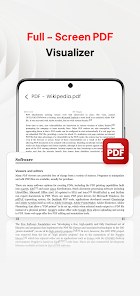
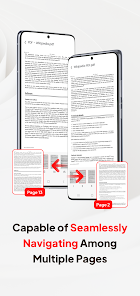
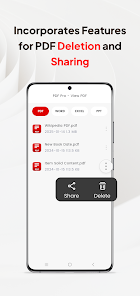
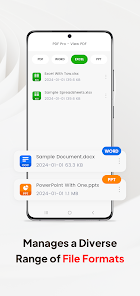
PDF Pro's core functionality is centered on a complete suite of PDF manipulation tools. Users can create new PDFs from various sources, including images, web pages, or documents from cloud storage services. The editing module allows for direct text modification, font changes, and image insertion. For collaborative work, the app offers extensive annotation features like highlighting, underlining, strikethrough, and the addition of sticky notes, shapes, and freehand drawings. File management is a key strength, enabling users to merge multiple PDFs into a single document, split large files into smaller ones, extract specific pages, and compress file sizes for easy sharing. Furthermore, it includes optical character recognition to convert scanned documents into searchable and editable text, and the ability to fill out and sign interactive forms seamlessly.
Chapter 2: Value
The primary value of PDF Pro lies in its ability to deliver desktop-level PDF functionality in a mobile format, offering unparalleled convenience and a significant boost in productivity. Its key advantage is the consolidation of multiple, often disparate, PDF tasks into one integrated application, which saves users time and the hassle of switching between different software. The robust editing and annotation suite streamlines document review and collaboration, making it ideal for team projects and remote work. By enabling tasks like signing contracts, filling forms, and converting documents on the go, it drastically reduces workflow delays. The powerful OCR feature unlocks the data within scanned documents, turning static images into dynamic, editable content. This combination of depth and accessibility means that both casual users and power users can achieve professional results without a steep learning curve. Ultimately, PDF Pro empowers users to break free from their desks, providing a reliable and efficient solution for all PDF-related needs directly from their pocket.
Chapter 3: Scenarios
PDF Pro is ideally suited for a diverse range of users across various professional and personal contexts. Business professionals frequently use it to review, annotate, and sign contracts, proposals, and reports while traveling or away from the office. Students and academics find it invaluable for marking up lecture slides, research papers, and e-books with highlights and notes. Administrative personnel utilize the app to manage forms, such as processing invoices, applications, and HR documents by filling, signing, and organizing them. Freelancers and remote workers rely on it to handle client deliverables and project documentation from any location. In everyday use, a salesperson might use PDF Pro to sign a deal-closing contract immediately after a meeting. A student could merge several scanned book chapters into a single, annotated file for a research project. An office administrator might quickly compress a large report for emailing and then extract a specific section for a separate distribution list.