My Verizon
Tools- Category Tools
- Size 79.99 MB
- Requirements Android 4.4 and up
- Downloads 670,000,000+
- Package Name com.vzw.hss.myverizon
- Content Rating 3
About My Verizon Feature
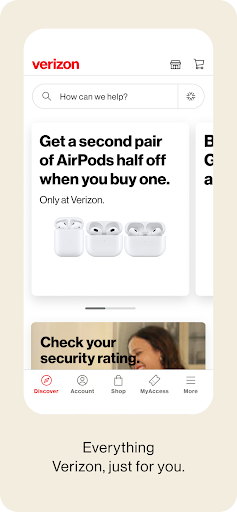
My Verizon is the official mobile application for Verizon customers, serving as a centralized hub for managing wireless, home internet, and Fios services. This application provides users with direct and secure access to their accounts, enabling them to monitor usage, pay bills, and upgrade devices with ease. Designed for on-the-go management, it offers a streamlined experience that empowers customers to take control of their services from anywhere, at any time. Its intuitive interface consolidates complex account details into a simple, user-friendly dashboard, making it an essential tool for anyone within the Verizon ecosystem.
Chapter 1: Function
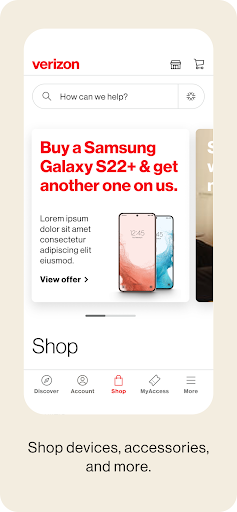
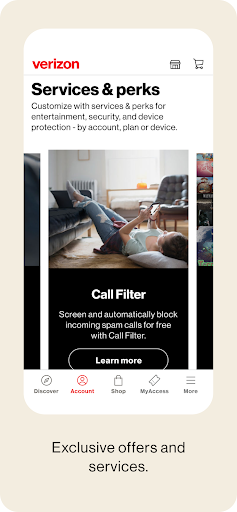
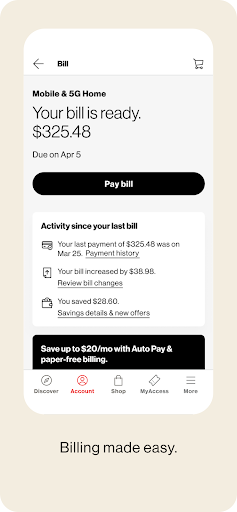
The My Verizon app delivers a comprehensive suite of account management tools. Its core functions allow users to meticulously track data, talk, and text usage for all lines on their plan, helping to prevent overage charges. Customers can view and pay their bills securely within the app, set up automatic payments, and review past billing statements. The app also facilitates device management, enabling users to upgrade their phones, troubleshoot network issues, and activate new lines or SIM cards. Furthermore, it provides access to exclusive Verizon perks and rewards, such as the Verizon Up program, and allows for easy management of add-on services like Verizon Cloud storage and travel passes. This consolidation of services into a single platform simplifies the entire customer experience.
Chapter 2: Value
The primary value of the My Verizon app lies in its ability to save customers significant time and provide unparalleled convenience. By centralizing all account-related tasks, it eliminates the need for phone calls or visits to a store for routine matters. The app's real-time usage tracking is a key advantage, offering transparency and control over consumption, which can lead to more informed decisions and potential cost savings on service plans. Its proactive notifications for data usage and bill reminders help users avoid unexpected charges and maintain good account standing. The integrated device upgrade and troubleshooting tools empower users to resolve issues and access the latest technology independently. For families and business accounts, the app offers robust tools to manage multiple lines and set usage limits, enhancing oversight. Ultimately, My Verizon strengthens the customer-provider relationship by delivering a self-service platform that is efficient, informative, and reliable, adding tangible value to the subscription.
Chapter 3: Scenarios
The My Verizon app is ideally suited for a wide range of Verizon subscribers. Individual users find it indispensable for quickly checking their remaining data before streaming videos or using navigation apps, ensuring they stay within their plan limits. Parents managing family plans utilize the app to monitor their children's usage, set data alerts, and control purchases. Small business owners rely on it to oversee employee lines, manage expenses, and pay invoices promptly while on the move. Frequent travelers use the app to easily activate daily travel passes for international data and calling. Furthermore, customers considering an upgrade can browse new devices, check eligibility, and process orders directly through the app at their convenience. In everyday use, it serves as the first point of contact for reviewing bill details, submitting payments before the due date, and claiming rewards, making it a daily utility for millions.