Microsoft Outlook
Productivity- Category Productivity
- Size 107.16 MB
- Requirements Android 5 and up
- Downloads 90,000,000+
- Package Name com.microsoft.office.outlook
- Content Rating 3
About Microsoft Outlook Feature
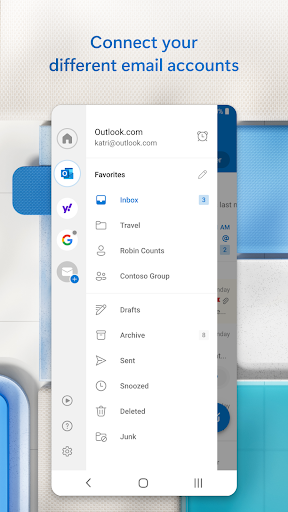
Microsoft Outlook is a comprehensive email and productivity application developed by Microsoft, designed to streamline communication and task management for individuals and organizations. It integrates email, calendar, contacts, and file storage into a single platform, supporting various accounts including Outlook.com, Exchange, Office 365, Gmail, and iCloud. With a focus on security and efficiency, Outlook offers features like focused inbox, smart scheduling, and seamless integration with other Microsoft services such as OneDrive and Teams. Available on iOS, Android, and web browsers, it empowers users to manage their professional and personal lives effectively from anywhere.
Chapter 1: Function
Microsoft Outlook provides robust core functions centered on email management, calendar coordination, and contact organization. The email feature supports multiple accounts, allowing users to send, receive, and organize messages with tools like swipe gestures, filters, and a focused inbox that prioritizes important emails. The calendar function enables scheduling meetings, setting reminders, and sharing availability with others, while the contacts section stores and syncs essential details. Additionally, Outlook integrates file storage, permitting users to attach and access documents from OneDrive or other cloud services directly within emails. Its search capability quickly locates messages or events, and push notifications ensure timely updates. These functions work cohesively to deliver a unified experience for daily communication and planning tasks.
Chapter 2: Value
The value proposition of Microsoft Outlook lies in its ability to enhance productivity and collaboration through a secure, integrated ecosystem. Key advantages include its intelligent features, such as the focused inbox that reduces clutter by highlighting critical emails, and smart suggestions for meeting times and responses. Security is a paramount benefit, with advanced threat protection, encryption, and multi-factor authentication safeguarding sensitive data. Integration with Microsoft 365 apps like Word, Excel, and Teams allows seamless workflow transitions, enabling users to edit documents or join meetings without switching apps. Cross-platform compatibility ensures accessibility across devices, syncing data in real-time for consistent performance. Moreover, Outlook's user-friendly interface and customization options, like customizable swipes and dark mode, improve usability. For businesses, it supports centralized management and compliance, reducing IT overhead. Overall, Outlook delivers reliability and efficiency, making it an indispensable tool for managing professional and personal commitments while fostering teamwork and data security.
Chapter 3: Scenarios
Microsoft Outlook primarily targets professionals, students, and organizations seeking efficient communication and time management solutions. Key user groups include office workers who rely on email and scheduling for project coordination, as well as remote teams needing collaborative tools to stay connected across locations. Students benefit from organizing assignments and deadlines via the calendar, while freelancers use it to manage client interactions and appointments. Everyday use cases involve checking and responding to emails on the go, scheduling meetings with automated time zone adjustments, and sharing calendars to coordinate family events or work shifts. In educational settings, teachers may use Outlook to communicate with parents and plan lessons, whereas in healthcare, professionals might schedule patient appointments securely. Travelers appreciate its offline access to emails and maps, ensuring productivity without internet connectivity. These scenarios highlight Outlook's versatility in adapting to diverse routines, enhancing productivity in both personal and professional contexts.