Good Lock
Tools- Category Tools
- Size 25.2MB
- Requirements Android 0 and up
- Downloads 770,000,000+
- Package Name com.samsung.android.goodlock
- Content Rating Everyone
About Good Lock Feature – Unlocking Ultimate Customization for Your Samsung Device
Good Lock is an official customization suite developed by Samsung for its One UI interface, available exclusively for compatible Galaxy devices. It serves as a powerful modular platform that allows users to deeply personalize aspects of their phone's appearance, navigation, and functionality that are typically locked down in the standard software. Through its collection of individual modules, Good Lock transforms the user experience from a uniform interface into a highly tailored digital environment, empowering users to make their device truly their own without requiring root access or compromising system stability.
Chapter 1: Function
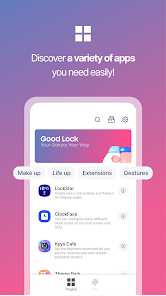
Good Lock operates as a hub for a variety of independent modules, each targeting a specific area of the system for customization. Core functions are distributed across these modules. For instance, QuickStar lets you redesign the layout, color, and icon order of your quick settings panel. NavStar provides extensive control over navigation bars, allowing for custom button layouts and even the restoration of the traditional three-button navigation style. LockStar enables the creation of fully bespoke lock screens by repositioning clocks, notifications, and shortcuts. Theme Park goes a step further by allowing you to create your own complete color themes and icon packs based on your wallpaper. SoundAssistant offers advanced audio controls, including per-app volume sliders and the ability to change the system-wide volume step granularity. MultiStar enhances the multitasking experience, refining pop-up view behavior and app aspect ratios. These modules can be installed and configured individually, giving users granular control over which parts of their system they wish to modify.
Chapter 2: Value
The primary value proposition of Good Lock lies in bridging the gap between the polished but often restrictive stock Android experience and the deep, system-level customization previously available only through risky rooting procedures. It delivers a unique advantage by being an official Samsung product, ensuring a high degree of stability, security, and seamless integration with One UI that third-party launchers and apps cannot reliably offer. For power users and enthusiasts, it unlocks a level of personalization that makes their device functionally and aesthetically unique, enhancing both productivity and daily enjoyment. It allows users to optimize their workflow by rearranging system elements for faster access and to express their personal style through colors, animations, and layouts. Furthermore, Good Lock often serves as a testing ground for new features, giving its users early access to potential future additions to the main One UI software. This transforms the user from a passive recipient of a software update into an active participant in the evolution of the device's interface. The modular nature of the app is another key value, as it prevents bloat by letting users install only the components they need, ensuring a lightweight and focused customization experience.
Chapter 3: Scenarios
Good Lock's primary target users are Samsung Galaxy owners who feel constrained by the default phone interface and crave a more personalized experience. This includes tech-savvy individuals, Android enthusiasts, and productivity seekers who want to streamline their device interactions. A common scenario involves a user who frequently adjusts settings; they can use QuickStar to place their most-used toggles at the top of the panel for one-tap access. Another user, frustrated with the limited lock screen options, can employ LockStar to create a minimalist or information-dense layout that suits their preference. A multitasker who uses split-screen and pop-up views frequently would benefit from MultiStar's enhancements for smoother app switching and better window management. Students and professionals can use SoundAssistant to independently control the volume of a music app and a language learning app, or to make fine-grained volume adjustments in a quiet library. Ultimately, Good Lock is for any Galaxy user who believes their phone should adapt to them, not the other way around, enabling them to craft an interface that is perfectly aligned with their workflow and aesthetic taste in their everyday use.