Cricut Design Space
Lifestyle- Category Lifestyle
- Size 398.46 MB
- Requirements Android 4.4 and up
- Downloads 950,000,000+
- Package Name com.cricut.designspace
- Content Rating Everyone
About Cricut Design Space Feature
Cricut Design Space is the official companion software for Cricut cutting machines, serving as the central hub for creating and customizing projects. This cloud-based design application enables users to prepare images, text, and shapes for cutting, writing, or scoring with their Cricut machine. It bridges the gap between a user's creative idea and a physical creation, offering a platform to design everything from simple stickers to intricate home decor, apparel, and gifts. The app synchronizes across devices, allowing projects to be started on a desktop and finished on a mobile device, ensuring a flexible and integrated crafting workflow for all skill levels.
Chapter 1: Function
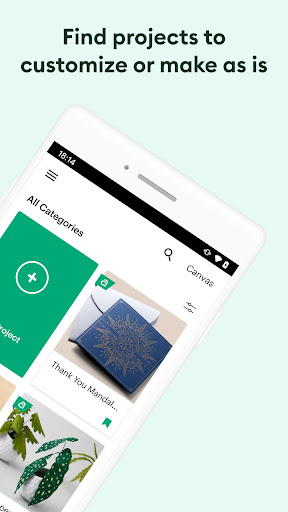
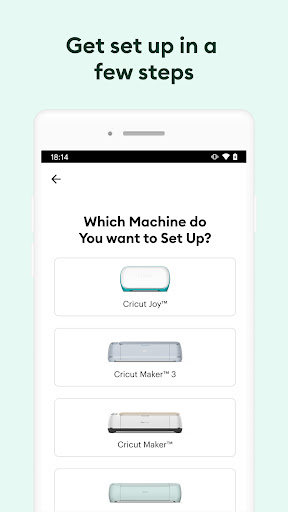
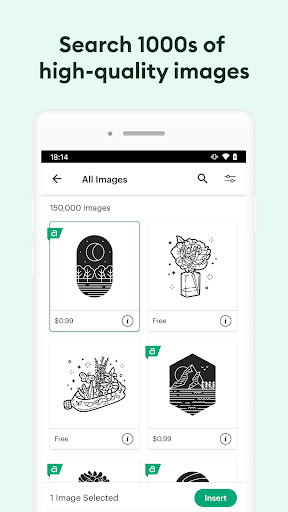
Cricut Design Space provides the essential tools to operate a Cricut machine. Its core function is to act as a canvas where users can design their projects by adding text, uploading images, or choosing from a vast library of ready-to-make projects and images, many of which are available for a fee through Cricut Access. Users can manipulate these elements by resizing, rotating, layering, and changing colors. A critical feature is the 'Slice', 'Weld', 'Attach', and 'Flatten' tools, which allow for advanced customization of designs. Once a design is finalized, the software sends precise instructions to the connected Cricut machine, telling it exactly where to cut, draw, or score on materials like vinyl, cardstock, iron-on, and more. The app also manages the machine setup process, including material selection and blade calibration, making the transition from digital design to physical creation seamless.
Chapter 2: Value
The primary value of Cricut Design Space lies in its ability to democratize custom crafting and small-scale production. It empowers individuals to create professional-looking, personalized items without requiring advanced graphic design skills. Its key advantage is the deep integration with the Cricut ecosystem, ensuring flawless communication with Cricut machines and optimized use of Cricut-specific materials like Smart Materials. The cloud-based nature of the platform is a significant benefit, as it allows users to access their saved projects from any device, anywhere, providing remarkable flexibility. The extensive library of fonts and images, coupled with the ability to upload your own SVG files, offers a near-limitless creative palette. For small business owners, it is an invaluable tool for producing custom merchandise, while for hobbyists, it unlocks the potential to create unique gifts, home decorations, and party supplies at a fraction of the retail cost. The software continuously evolves with updates that introduce new features and support for new materials, protecting the user's investment in the Cricut system. Ultimately, it transforms a cutting machine from a simple tool into a comprehensive creative studio, fostering creativity, personalization, and even entrepreneurial ventures.
Chapter 3: Scenarios
Cricut Design Space is ideally suited for a diverse range of users. Hobbyists and DIY enthusiasts form a core group, utilizing the app for personal projects such as creating custom t-shirts for family events, personalized greeting cards, unique home decor like vinyl wall decals, and decorated tumblers. Small business owners, particularly those in the Etsy or craft fair space, rely on it to produce customized products including branded apparel, stickers, wedding invitations, and party favors. Teachers and educators use it to create engaging classroom decorations, learning aids, and reward stickers. The app is also popular for event planning, enabling the creation of bespoke items for weddings, birthdays, and baby showers, such as place cards, banners, and cake toppers. Essentially, any individual or professional looking to add a personalized, handmade touch to items using materials like vinyl, paper, or fabric will find Cricut Design Space an indispensable tool in their daily creative and commercial activities.