Canvas Student
Education- Category Education
- Size 119.05 MB
- Requirements Android 5 and up
- Downloads 830,000,000+
- Package Name com.instructure.candroid
- Content Rating 3
About Canvas Student Feature
Canvas Student is a dedicated mobile application designed to facilitate seamless interaction between students and the Canvas Learning Management System (LMS). It serves as a centralized hub for academic activities, enabling users to access course materials, submit assignments, track grades, and engage with instructors and peers from their mobile devices. The app is officially developed by Instructure, ensuring reliable synchronization with the web-based Canvas platform used by numerous educational institutions worldwide. Its intuitive interface is tailored for the modern student, promoting productivity and organization by bringing essential academic tools directly to their fingertips, thereby supporting a more connected and efficient learning experience outside the traditional classroom setting.
Chapter 1: Function
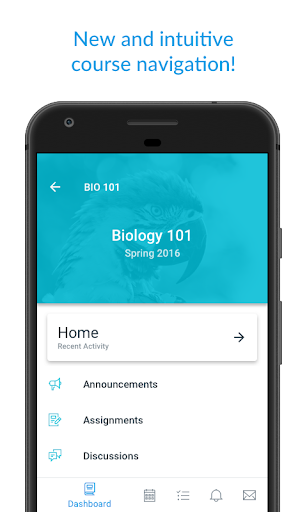
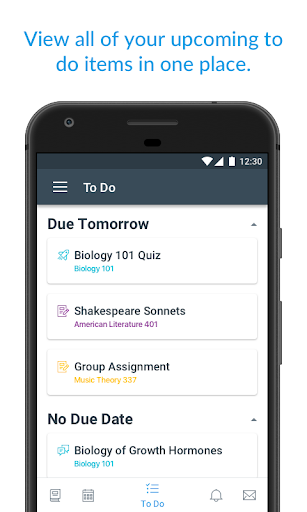
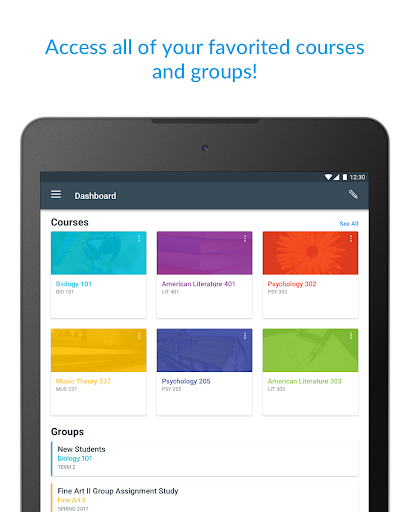
Canvas Student provides a comprehensive suite of core functions that mirror the capabilities of the desktop Canvas platform. Users can view and navigate all their enrolled courses, accessing syllabi, reading materials, and lecture notes. A primary feature is the assignment module, which allows students to view upcoming and past due assignments, submit work directly from their device by uploading files or linking to cloud storage, and confirm successful submission. The app also includes a robust grading section where students can check their scores and view instructor feedback. Communication is facilitated through direct inbox messaging for contacting instructors and classmates, as well as push notifications for announcements, grade updates, and deadline reminders. Furthermore, it supports viewing course calendars, scheduling, and in some configurations, participating in discussions and accessing quizzes.
Chapter 2: Value
The value proposition of Canvas Student lies in its ability to empower students by providing unparalleled academic mobility and organization. Its key advantage is the consolidation of critical academic resources into a single, easily accessible mobile application, which significantly enhances time management and reduces the risk of missing important deadlines or announcements. By receiving instant push notifications for new grades, announcements, or assignment reminders, students can stay proactively informed and engaged with their courses. The app fosters a continuous connection to the classroom, enabling productive use of time during commutes or between classes. This constant access helps diminish the administrative friction often associated with academic life, allowing students to focus more on learning. For educational institutions, it extends the reach of the Canvas LMS, promoting higher student engagement and satisfaction. The user-friendly design requires minimal learning curve, making it accessible to students of all technical proficiencies. Ultimately, Canvas Student delivers tangible value by streamlining academic workflows, improving communication, and supporting student success in a digitally-driven educational landscape.
Chapter 3: Scenarios
The primary target users for Canvas Student are high school, college, and university students enrolled in institutions that utilize the Canvas LMS. It is particularly beneficial for on-the-go learners who need to manage their academic responsibilities outside of a fixed study space. A common scenario involves a commuting student using the app on a bus to quickly review lecture slides or readings for an upcoming class. Another frequent use case is a student receiving a push notification about a newly posted grade, allowing them to check feedback immediately and understand their academic standing without waiting to access a computer. Group project participants use the app's inbox to coordinate with teammates and share updates. Furthermore, during exam periods, students rely on the calendar and assignment features to meticulously plan their study schedule and ensure all deliverables are submitted on time. It is also invaluable for non-traditional or distance learners who primarily engage with their courses online, as it provides a reliable mobile touchpoint for their entire educational ecosystem.