


About Link to Windows Feature
Link to Windows is a seamless integration feature developed by Microsoft that connects your Android smartphone directly to your Windows 10 or 11 PC. This functionality bridges the gap between mobile and desktop computing, allowing for a unified and productive workflow. Users can access their phone's applications, notifications, messages, and photos directly from their computer desktop without needing to physically handle their device. The feature is built into select Samsung, HONOR, and Surface Duo devices and is available for other Android phones through the Your Phone Companion app. By establishing a stable connection, either via Wi-Fi or USB, Link to Windows creates a cohesive ecosystem that enhances multitasking and reduces digital friction, making it an essential tool for individuals invested in the Microsoft ecosystem.
Chapter 1: Function
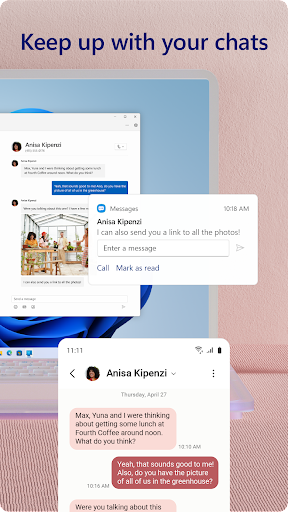
Link to Windows provides a suite of core functions designed to mirror your Android phone's essential features onto your PC. The primary feature is message management, enabling users to send and receive SMS texts directly from their computer, using either the native Your Phone app on Windows or integrated support in the Phone Link app. Users can also view and manage their phone's recent photos and screenshots, allowing for quick drag-and-drop saving to the PC desktop. Another critical function is notification mirroring; alerts from the phone appear on the PC, and users can dismiss them or take action without interrupting their computer workflow. Furthermore, the app allows for making and receiving calls directly from the PC if the devices are connected on the same network. For supported Samsung devices, the functionality extends to running multiple mobile apps directly on the PC screen. The connection is established simply by scanning a QR code, ensuring a quick and secure setup process.
Chapter 2: Value
The value proposition of Link to Windows lies in its profound enhancement of user productivity and its creation of a unified digital workspace. The key advantage is the significant reduction in context switching. Instead of constantly picking up a phone to check a notification, read a message, or find a photo, users can handle these tasks instantly from their PC, maintaining focus on their primary work. This streamlined workflow saves time and minimizes distractions. For professionals and students, this integration means greater efficiency; they can continue working on a document or project on their large screen while staying fully connected to their mobile communications. The value is also evident in its convenience during tasks like transferring files. Instead of emailing a photo to oneself or using a cable, one can simply drag and drop images from the phone's gallery directly into a PowerPoint presentation or a document. The seamless call functionality is another major benefit, especially when your phone is charging in another room. By leveraging the existing Windows ecosystem, Microsoft provides a robust, secure, and deeply integrated solution that competing cross-platform tools struggle to match, offering a cohesive experience that genuinely makes the phone an extension of the PC.
Chapter 3: Scenarios
Link to Windows primarily targets professionals, students, and multitaskers who rely heavily on both a smartphone and a Windows PC for their daily activities. A common scenario is a remote worker managing their day from a home office. They can keep their phone on silent and charging while receiving all important call and message notifications on their PC monitor, allowing them to answer a crucial call from a client or quickly reply to a family text without breaking their concentration on a work task. Students are another key user group; while researching and writing a paper on their laptop, they can receive group chat notifications from classmates, share a screenshot of their research directly from their phone to their document, and manage their schedule without ever touching their phone. Furthermore, for individuals who consume a lot of media on their PC, the ability to instantly access and view photos and videos taken on their phone on a larger screen enhances the sharing and editing experience. In essence, any user seeking to minimize device-switching and create a more fluid, integrated digital environment will find Link to Windows an indispensable tool for everyday use.