



About Xbox App Feature
The Xbox app is a powerful companion application that bridges the gap between your console, PC, and mobile gaming experiences. Developed by Microsoft, it serves as a centralized hub for the Xbox ecosystem, allowing users to stay connected with their games and friends regardless of the device they are using. It extends the functionality of the Xbox network beyond the console, enabling remote play, game library management, social features, and access to Xbox Cloud Gaming. This integration creates a seamless and unified experience for players invested in the Microsoft gaming universe.
Chapter 1: Function
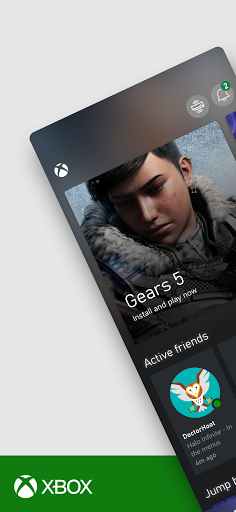
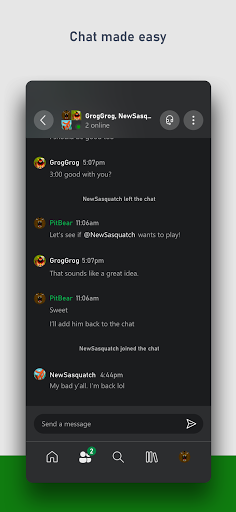
The Xbox app's core functionality is multifaceted, centered on connectivity and control. It allows users to remotely install and launch games on their Xbox console or PC from their mobile device, ensuring a game is ready to play when they arrive. A key feature is Remote Play, which lets users stream games directly from their Xbox console to their phone or tablet over a Wi-Fi connection, effectively turning the mobile device into a portable screen. The app also provides full access to the Xbox social feed, enabling users to view and share game clips and screenshots, see what friends are playing, send messages, and join parties for voice chat. Furthermore, for subscribers to Xbox Game Pass Ultimate, the app is the gateway to Xbox Cloud Gaming, providing instant access to a vast library of games streamed directly to supported devices without the need for a console.
Chapter 2: Value
The primary value proposition of the Xbox app lies in its ability to create a cohesive and flexible gaming ecosystem. It breaks down the barriers between devices, empowering users to engage with their gaming life from anywhere. The convenience of remotely managing a console or PC saves valuable time and allows for better planning. The Remote Play feature is a significant advantage, offering console-quality gaming in any room of the house without being tethered to the television, which is invaluable in shared living spaces. For Xbox Game Pass Ultimate subscribers, the value is exponentially increased. The app transforms a phone or tablet into a powerful gaming device via the cloud, eliminating the need for expensive hardware and allowing users to dive into a massive game library instantly. This democratizes access to high-end gaming experiences. The robust social integration ensures that the community aspect of gaming is never interrupted, fostering constant connection with friends and clubs. By unifying these features into a single, intuitive interface, the Xbox app delivers unparalleled convenience, accessibility, and continuity for the modern gamer.
Chapter 3: Scenarios
The Xbox app is ideally suited for a diverse range of users within the gaming community. The primary target audience is the dedicated Xbox console or PC gamer who wants to maintain a connection to their games and friends while away from their primary setup. A common scenario is a parent using the app to remotely install a new game release on their console during the day, so it is fully updated and ready for their evening gaming session. Another is a player using a tablet and a Bluetooth controller to continue their console game via Remote Play in another room while the family uses the main TV. For the mobile-centric gamer with an Xbox Game Pass Ultimate subscription, the app is essential. They can use it during a commute or lunch break to play AAA titles like Halo Infinite or Forza Horizon 5 directly on their phone through cloud gaming, requiring only a stable internet connection. Furthermore, social gamers who are part of active clubs and friend groups rely on the app to stay updated on their friends' activities, share their latest achievements, and coordinate party chats, ensuring they remain an integral part of their gaming community at all times.