





About Photo Collage Maker Feature
Photo Collage Maker is a versatile mobile application designed to transform multiple individual photos into a single, cohesive collage. It serves as an all-in-one solution for users looking to organize, creatively express, and share their memories without requiring advanced editing skills. The app provides a user-friendly interface coupled with a rich library of templates, backgrounds, stickers, and editing tools. It effectively bridges the gap between basic photo viewers and complex graphic design software, making the art of collage creation accessible to everyone, from casual social media users to photography enthusiasts seeking a quick and stylish way to present their pictures.
Chapter 1: Function
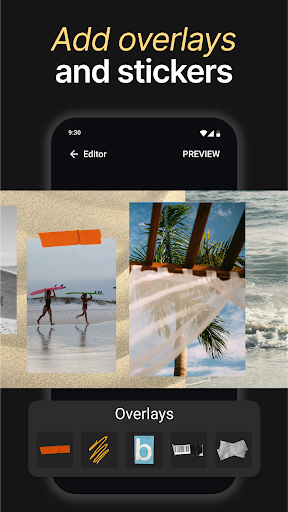
Photo Collage Maker's core functionality centers on its ability to seamlessly combine multiple images. Users begin by selecting a layout or grid template from a vast collection, ranging from simple side-by-side formats to intricate, artistic designs. Once photos are placed into the template, the app offers a suite of editing tools to refine the collage. These include the ability to adjust borders, change their color and thickness, and modify the inner spacing between pictures. Users can also apply unified filters or perform individual edits like cropping, rotating, and adjusting brightness or contrast for each photo. Furthermore, the app allows for extensive customization through the addition of background patterns, text captions with various fonts, and a wide array of decorative stickers and clipart, enabling the creation of a truly personalized and polished final image ready for export.
Chapter 2: Value
The primary value of Photo Collage Maker lies in its empowerment of users to tell visual stories and conserve digital space efficiently. Instead of spamming a social media feed with ten separate vacation photos, a user can craft a single, impactful collage that captures the essence of their experience, leading to higher engagement and a more aesthetically pleasing profile. For businesses or influencers, the app is a quick tool for creating promotional materials or summarizing event highlights. Its key advantages are its simplicity and speed, allowing for professional-looking results in minutes without a steep learning curve. Unlike complex desktop software, it is portable and integrated directly with phone galleries and social platforms for instant sharing. The extensive and regularly updated library of templates and decorative elements ensures that creations remain trendy and fresh. This combination of creative freedom, convenience, and time-saving efficiency provides immense value, turning a simple utility into a powerful platform for personal expression and digital communication.
Chapter 3: Scenarios
Photo Collage Maker appeals to a broad spectrum of users across various everyday situations. Social media enthusiasts and bloggers are primary users, frequently employing the app to create compelling posts for platforms like Instagram, Facebook, and Pinterest. They use it to showcase outfit variations, recipe steps, travel highlights, or to celebrate personal milestones like anniversaries in a single, beautiful frame. Parents and families find it invaluable for compiling childhood growth photos or creating festive holiday cards. Students and young adults use it for projects and presentations, or to create fun collages for friends' birthdays. In a professional context, small business owners might use it to display multiple product images in a single advertisement or to create visual testimonials. Essentially, any individual who takes photos with their smartphone and wishes to organize, highlight, and share them in a more creative and condensed format represents the app's target user, making it a practical tool for both personal and light professional use.