Skype
Communication- Category Communication
- Size 70.94 MB
- Requirements Android 4.4 and up
- Downloads 720,000,000+
- Package Name com.skype.raider
- Content Rating 3
About Skype Feature
Skype is a globally recognized communication application developed by Microsoft, designed to connect people across the world through voice and video calls, instant messaging, and file sharing. Accessible on various devices including smartphones, tablets, and computers, Skype supports cross-platform functionality, allowing users to communicate seamlessly regardless of their operating system. It integrates advanced features such as live subtitles, screen sharing, and call recording, making it a versatile tool for both personal and professional interactions. With its user-friendly interface and robust performance, Skype remains a leading choice for real-time communication, fostering connections in an increasingly digital world.
Chapter 1: Function
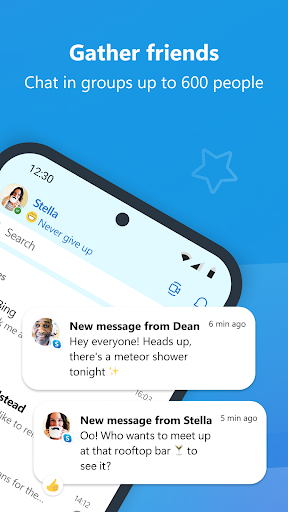
Skype's core functions revolve around enabling efficient and reliable communication. Users can make high-quality voice and video calls to individuals or groups, supporting up to 100 participants in a single video call, which is ideal for virtual meetings or family gatherings. The app includes instant messaging with options for emojis, file transfers, and photo sharing, facilitating quick exchanges. Key features include screen sharing for collaborative work, call recording to capture important discussions, and live subtitles for accessibility during calls. Skype also allows users to make calls to mobile phones and landlines worldwide through Skype Credit or subscriptions, bridging gaps between internet-based and traditional telephony. Additionally, it offers end-to-end encryption for private conversations, ensuring security. The app syncs across devices, so conversations can continue seamlessly from a phone to a computer, enhancing convenience for on-the-go users.
Chapter 2: Value
Skype's value proposition lies in its ability to provide a comprehensive, accessible, and secure communication platform that enhances both personal and professional interactions. One of its key advantages is cross-platform compatibility, allowing users on iOS, Android, Windows, and macOS to connect effortlessly, which eliminates barriers and promotes inclusivity. The app offers cost-effective solutions, such as free Skype-to-Skype calls and affordable rates for international calls to non-Skype users, saving users money compared to traditional phone services. For businesses, Skype integrates with Microsoft 365, enabling features like scheduling meetings in Outlook and collaborating on shared documents, thereby boosting productivity. The inclusion of real-time translation in over 60 languages breaks down language barriers, making it invaluable for global teams or travelers. High-definition video and audio quality ensure clear communication, while features like screen sharing and call recording support effective remote work and education. Moreover, Skype's commitment to privacy with encryption and regular updates builds trust among its over 300 million monthly users. By offering a reliable, feature-rich experience without subscription fees for basic use, Skype delivers exceptional value by fostering connections, improving efficiency, and adapting to diverse user needs in a dynamic digital landscape.
Chapter 3: Scenarios
Skype primarily targets a wide range of user groups, including families, friends, professionals, students, and small to large businesses. For personal use, it is ideal for individuals seeking to stay connected with loved ones abroad through video calls, sharing daily moments via messaging, or organizing virtual family reunions. In professional contexts, remote workers and freelancers rely on Skype for team meetings, client presentations with screen sharing, and interview calls, as it supports collaborative tools and recording features. Educational institutions and students use it for online classes, group study sessions, and tutoring, benefiting from live subtitles and file sharing. Businesses, especially those with international operations, leverage Skype for cost-effective conference calls, cross-border communications with translation support, and customer service interactions. Everyday scenarios include hosting virtual events, conducting job interviews, providing telehealth consultations in healthcare, and coordinating projects in non-profit organizations. Its accessibility features also make it suitable for users with hearing impairments, thanks to subtitle options. Overall, Skype serves as a versatile solution for anyone needing reliable, real-time communication across distances, enhancing both social bonds and professional productivity in various real-world situations.